A PRACTICAL GUIDE
PDF too large to email?
Make a smaller copy, check that it still reads clearly, and use a sharing link when the complete document needs more space.
Choose a PDF to reduce →By ScanDocument · Updated September 14, 2026
1. Check your attachment limit
Check the total size of all attachments and the recipient’s limit. If the PDF already fits, keep its original quality.
Personal Gmail allows up to 25 MB in attachments, then uses a Drive link. Work and school limits may differ. See Google’s attachment guidance.
2. Make a smaller copy
Choose your PDF and start with Balanced. Set the recipient’s maximum, leaving room for any other attachments. For specific upload limits, try 1 MB or 500 KB.
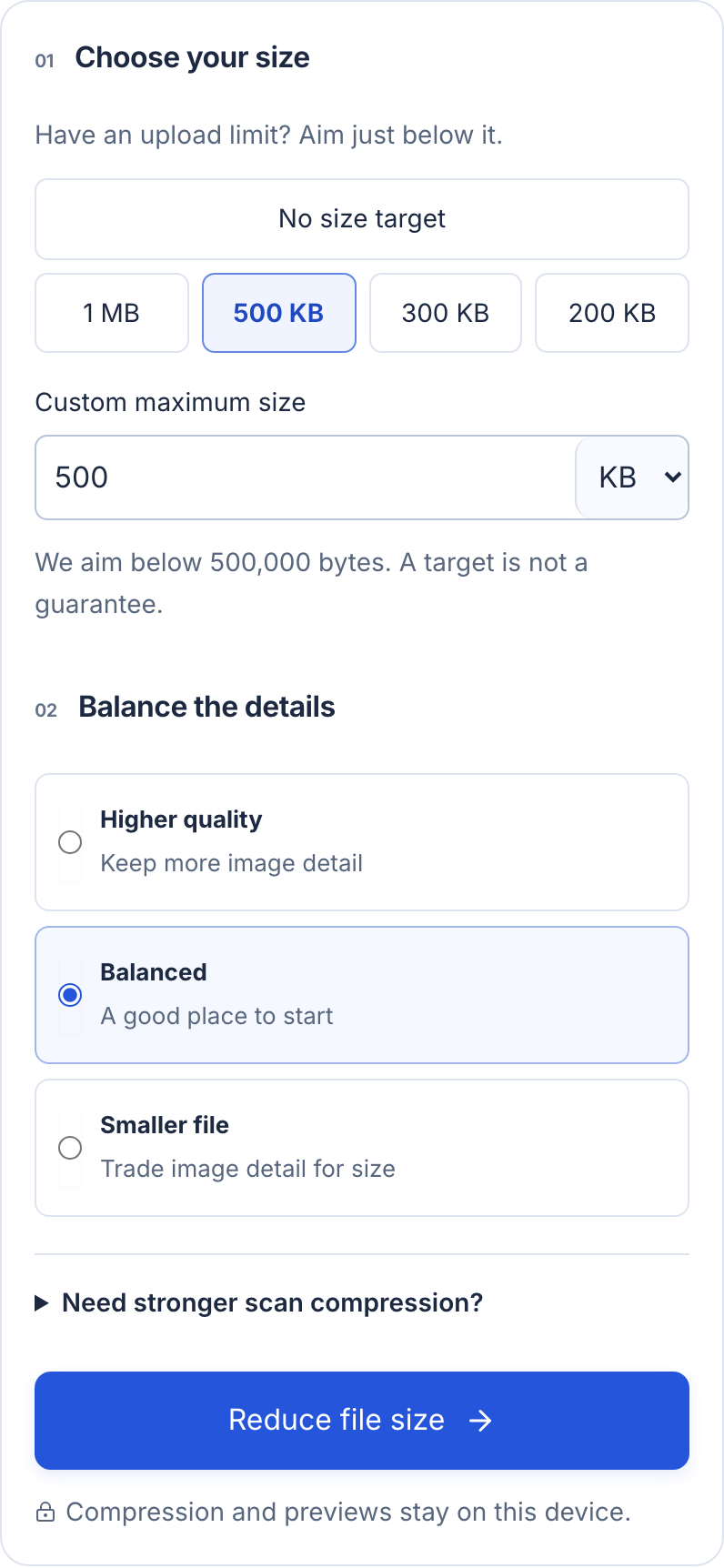
- Set your limit. This example uses 500 KB.
- Start with Balanced. Check quality after reducing.
- Select Reduce file size to create a separate copy.
3. Check readability
Check every page, especially small print, document numbers, handwriting and stamps.
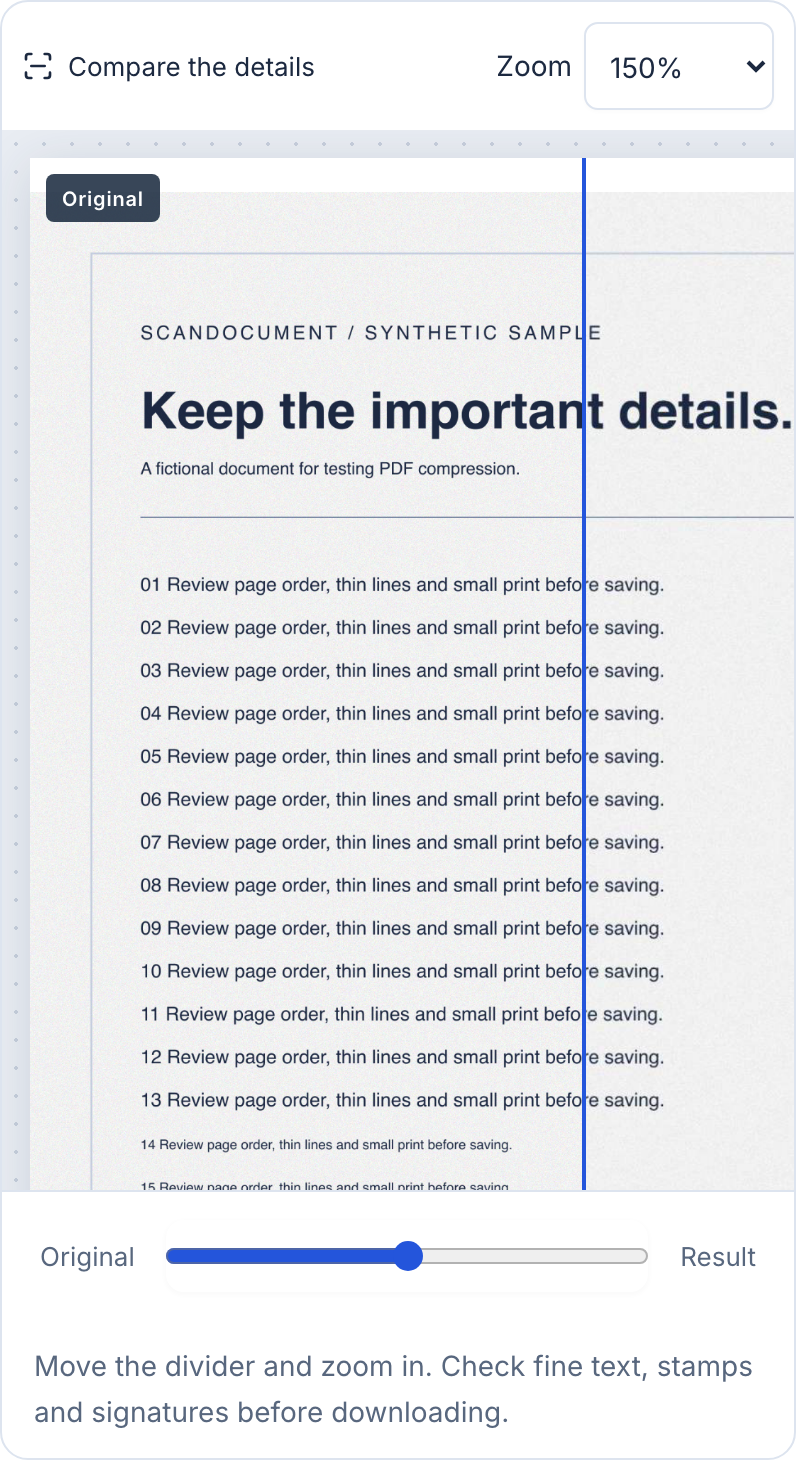
- Zoom in on small text and stamps. Shown here: 150%.
- Move the slider to compare. Repeat for every page.
4. Attach the downloaded copy
Remove the original attachment and add the smaller PDF from Downloads or Files. Keep the original until you’ve checked the copy you’re sending.
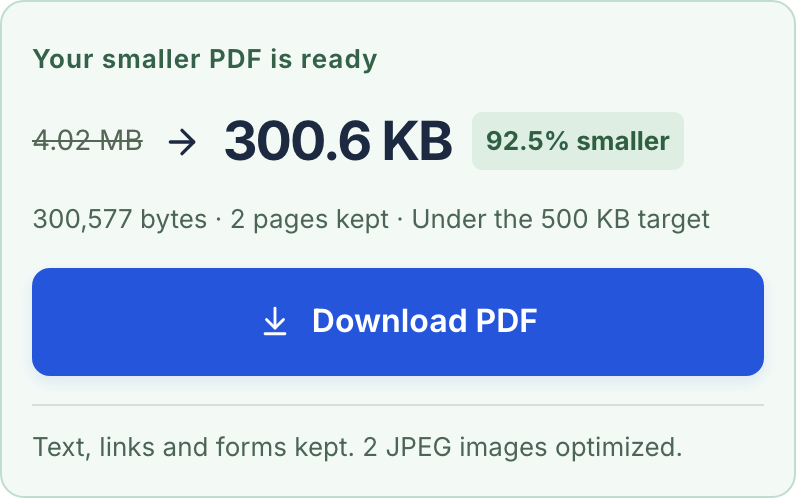
- Check the exact byte count, pages kept and whether the result is under your target.
- Download the reviewed copy, then attach that file instead of the original.
Would a ZIP file help?
Often very little: PDF images may already be compressed. Check the actual saving before sending.
Try it with a sample
These annotated screenshots use a sample PDF: 4.02 MB → 300.6 KB, with 2 pages kept. Your results will vary. Open the smaller sample.
Make a PDF smaller →